A while back I unboxed a Nextion touchscreen dev board and vibe-coded a WiFi auditor onto it . That board has been sitting on my desk ever since, and one question kept nagging: this thing has 8 MB of PSRAM and a dual-core ESP32-S3. Could it run an actual language model? Not talk to one over WiFi — run one. Turns out: yes. Four of them, in fact. No internet, no server, no phone, no PC. Everything in this video is generated by the chip on the board. All four models, on the board, offline. Loading a model from the SD card, then generating. What is actually running The board boots into a menu. Tap a model, it loads and starts generating. All of these were trained from scratch on an M2 Max in well under an hour. Malayalam English Arithmetic Icons Parameters 7.6M 7.6M 1.0M 577K Flash 3.95 MB 3.95 MB 0.41 MB 0.58 MB Speed 13.0 tok/s 14.9 tok/s 20.7 tok/s 3.4 s/image First things first: this is not a Nextion HMI The ONX3248G035 is sold under Nextion branding, and the name is...
Get link
Facebook
X
Pinterest
Email
Other Apps
From unboxing a touchscreen dev board to vibe-coding a full WiFi auditor
Get link
Facebook
X
Pinterest
Email
Other Apps
-
From unboxing a touchscreen dev board to vibe-coding a full WiFi auditor
A parcel landed at my door from Nextion Systems: the new Open Nextion — an ESP32-based board with a built-in capacitive touch display. Came in two flavors (3.5" and 2.8"), plus a speaker, a dual-microphone board, and an IO adapter. The kind of package that's begging to be turned into something it was never meant to do.
So, naturally, I did exactly that.
What's actually in the box
Before any of the fun started, here's what the Open Nextion package shipped with:
The board itself is generous on connectivity: USB-C, a battery connector with a real RTC, I2C, UART, a camera interface, SD card, plus mic and speaker pins. It's basically a tiny computer with a touchscreen bolted on, and the moment you power it on it boots into a default ESP-IDF demo UI.
Build #1: A "Tesla controller" for my son's toy car
First experiment was a small joke project — a touchscreen "Tesla controller" that fires HTTP requests at my son's ESP32-powered toy car to toggle its lights. I built it twice on purpose:
Arduino first — quick to get going, lots of libraries, but the touch responsiveness was meh.
Rebuilt in ESP-IDF (C) — once you break out of the Arduino abstractions, the difference is night and day. Buttons respond instantly, the UI feels native instead of "Arduino sluggish."
If you're building anything UI-heavy on ESP32 and you've been on the fence about Arduino vs. ESP-IDF: this is the project that convinced me to switch for anything that needs to feel responsive.
Build #2: The main event — a full WiFi auditor on a 2.8" touchscreen
This is where it got interesting. I sat down with Claude AI and vibe-coded a complete WiFi/Bluetooth security toolkit that runs entirely on the Open Nextion. No laptop, no Kali — just the board, the touchscreen, an SD card, and a battery.
Here's what it does:
WiFi scan — every nearby network, with the usual signal/channel info, plus encryption type, WPS state, and PMF (Protected Management Frames) detection. Useful for spotting weak configurations at a glance.
Client/station listing — who's actually talking to which AP.
WPA handshake capture — captures handshakes for offline cracking and writes them straight to the SD card.
Evil portal emulation — a captive-portal demo for red-team training scenarios.
Bluetooth/BLE scan — including AirTag detection (it found 7 in my immediate area, which is a separate conversation).
Audit reports — everything gets exported into structured reports you can carry off the SD card.
All of that, on a tiny ESP32 with a touchscreen. Powerful, responsive, and honestly a blast to build.
"Vibe-coding" — what that actually meant here
I keep using the phrase "vibe-coded with Claude" and I want to be specific about what that means in practice. It wasn't "prompt → finished firmware." It was a tight loop:
I described the feature I wanted in plain English (e.g., "scan WiFi networks, detect PMF, render them in a scrollable touch list").
Claude drafted the ESP-IDF C code — Wi-Fi promiscuous mode setup, the LVGL UI bindings, the SD writes.
I flashed it, found the bugs, told Claude what broke, and iterated.
Doing this in ESP-IDF instead of Arduino mattered. Promiscuous mode, raw frame parsing, the lower-level Wi-Fi events — they're all first-class in ESP-IDF, and an AI assistant that knows the framework can move fast there.
Why this is a useful little project
You could buy a Pwnagotchi or a Flipper Zero. But this build hits a different sweet spot:
Cheap, off-the-shelf hardware — no specialized boards, just an ESP32 dev kit you might already have lying around.
You actually own the firmware — every line is yours to modify, and AI-assisted coding makes that approachable even if you're not a pentester by trade.
It teaches you the stack — by the time you're done, you've genuinely learned how Wi-Fi frames work, what PMF protects against, why handshake capture matters.
Chapter timestamps
If you want to jump to a specific section of the video:
2:57 — Arduino + AI: the toy-car "Tesla controller"
4:01 — Rebuilt in ESP-IDF (C) — way more responsive
4:20 — The WiFi Auditor: networks, clients & handshake capture
4:54 — Vibe-coded with Claude • SD-card captures
5:03 — Evil portal demo
5:11 — Bluetooth / AirTag detection
5:51 — Wrap-up
⚠️ Disclaimer (important — read this)
This is an educational project for security research and auditing on networks and devices you own or are explicitly authorized to test. Deauthing or capturing traffic on networks that aren't yours is illegal in most jurisdictions. Don't be a jerk — use this to learn the stack, harden your own setup, and understand what your network actually exposes. Not to mess with anyone else's.
Watch the build
The video is six minutes — quick board tour, the Arduino → ESP-IDF jump, then straight into the auditor demo. If you like ESP32, hardware tinkering, or seeing what AI-assisted firmware development looks like in practice, you'll get something out of it.
If you enjoyed it, drop a 👍 and subscribe to H4hacks on YouTube for more ESP32, hardware, and security-flavored builds.
Wonderful walkthrough exhibiting how experimenting can result in useful products. Write My Nursing Assignment example of how structured guidance provides the student with a learning base; the project has proven the use of creativity, persistence, and hands-on problem-solving to create a working prototype.
Hi Security enthusiast, So if you were following closely on recent developments regarding SSL/TLS security, you might have heard that Qualys SSL labs released an API to automate the testing of internet hosted applications with their awesome hosted testing solution. If you have not heard about it here is the location to their server testing page - https://www.ssllabs.com/ssltest/ And their API documentation here - https://github.com/ssllabs/ssllabs-scan/blob/master/ssllabs-api-docs.md So now that the API is released you can automate testing of any number of servers with any language that is able to talk with qualys server via HTTP protocol. My company wanted to test all of our servers with SSL labs, so i thought why can't i automate it with python or something. So here it is, i made a multithreaded python script to test a large number of servers in one go and get results in neat format that my management wanted :-) The script is intended for python 2.7 Yo...
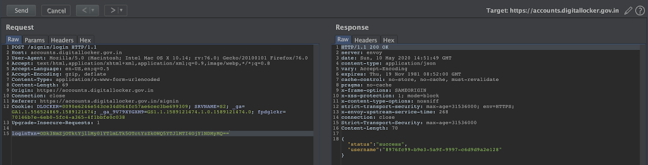
Hi Guys, This is a repost of the blog that was written on https://yetanothersec.com/blog/2020/06/03/digilocker-disclosure/ as the yas portal is facing technical issues everynow and then. Also apologies for the bad quality of screen shots, i will find old files and update it later. D uring the beginning of May 2020, there was a large commotion about the arogyasetu app and its security after a so called “hack” by infamous political hacker named Elliot Alderson. In light of all this, we at the YAS (Yet Another Security) community, had some talks in our WhatsApp group. So, it turned out to be a discussion on techniques used for bypassing SSL pinning on the mobile apps. This whole discussion made be curious about other apps from India government and since I have worked on similar projects outside of India, digilocker caught my attention. Hence, I downloaded the app and installed on my test devices and fired up my favorite toolset burpsuite + Frida. I used my homebrewed pinn...
Hi Folks, So if you are playing around with kali linux on a VM you might have faced the issue of getting the vmware tools work properly. Especially when you want to copy paste files and clipboard contents between guest and host. This is very annoying thing and took lot of my precious time when i was doing OSCP course. Here is how i fixed it. My Setup I run a kali linux distro on vmware player which is recommended for doing the OSCP course. By default it has GNOME as the default GUI. I kind of hate it as it uses lot of resources and has all those stupid animations and stuff. I want something clean and precise when i am working, i am not into looks and too many features, just the bare minimum responsive system is always my favourite. So I installed LXDE which is light weight GUI for linux. you can install it with following command apt-get install lxde-core lxde kali-defaults kali-root-login desktop-base This will not make LXDE you default GUI, so if you reboot, you will n...

Wonderful walkthrough exhibiting how experimenting can result in useful products. Write My Nursing Assignment example of how structured guidance provides the student with a learning base; the project has proven the use of creativity, persistence, and hands-on problem-solving to create a working prototype.
ReplyDelete