A while back I unboxed a Nextion touchscreen dev board and vibe-coded a WiFi auditor onto it . That board has been sitting on my desk ever since, and one question kept nagging: this thing has 8 MB of PSRAM and a dual-core ESP32-S3. Could it run an actual language model? Not talk to one over WiFi — run one. Turns out: yes. Four of them, in fact. No internet, no server, no phone, no PC. Everything in this video is generated by the chip on the board. All four models, on the board, offline. Loading a model from the SD card, then generating. What is actually running The board boots into a menu. Tap a model, it loads and starts generating. All of these were trained from scratch on an M2 Max in well under an hour. Malayalam English Arithmetic Icons Parameters 7.6M 7.6M 1.0M 577K Flash 3.95 MB 3.95 MB 0.41 MB 0.58 MB Speed 13.0 tok/s 14.9 tok/s 20.7 tok/s 3.4 s/image First things first: this is not a Nextion HMI The ONX3248G035 is sold under Nextion branding, and the name is...
Get link
Facebook
X
Pinterest
Email
Other Apps
Cloning a CAME parking-gate remote with a Flipper Zero — why static Princeton codes are a security own-goal
Get link
Facebook
X
Pinterest
Email
Other Apps
-
Cloning a CAME parking-gate remote with a Flipper Zero — why static Princeton codes are a security own-goal
A surprising number of buildings hand each tenant a little plastic fob to open the parking barrier — and a surprising number of those fobs are not what you'd call secure. If the building installer cheaped out (or just picked the default jumper settings), the remote sends a fixed sub-GHz signal every single time. No rolling code, no challenge, no cryptography. Just the same packet, on the same frequency, every press.
Which means anyone with a Flipper Zero and a few minutes can clone it.
Here's a 90-second demo of doing exactly that on a CAME barrier — and the technical context for why it works.
The setup
The gate is a CAME-branded barrier, the kind you see at almost every apartment compound parking entrance. Every tenant is given a static remote — not rolling code. Why?
Cheaper. Static encoders like Princeton's PT2262 (and the dozens of clones — SC2262, HX2262, etc.) cost cents per remote. Rolling-code receivers cost more, and pairing each new tenant remote is more work.
"It's just a parking gate." The threat model the installer cares about is "random person walking up to the gate." Not "someone with $169 of pentesting hardware in their pocket."
That second assumption is the one that's been quietly aging out for the last few years. Flipper Zero made sub-GHz capture and replay something a curious teenager can do. So if your building's barrier still trusts static codes, your "key" is closer to a "publicly broadcast password."
What the Flipper actually does — step by step
You don't need to know radio theory to follow this. Here's the exact workflow from the video, in plain English:
Open Sub-GHz on the Flipper.
From the main menu, pick the Sub-GHz application — that's where all the radio-band tools live.
Run Frequency Analyzer.
Hold your existing tenant remote about 10-30 cm from the Flipper and tap its button a few times. The Flipper sweeps the common sub-GHz bands (315 / 433 / 868 / 915 MHz, depending on region) and locks onto whichever one your remote is using. For CAME barriers in most regions, this lands on 433.92 MHz.
Press OK to capture the frequency.
The middle (circle) button locks the analyzer's reading. The Flipper now knows which channel your remote talks on.
Switch to Read.
Same Sub-GHz menu — go into "Read." The frequency you just captured is already highlighted. Now press your remote one more time.
Flipper decodes the protocol.
This is the magic moment. The Flipper looks at the raw signal and tries to match it against a library of known protocols. For a static CAME-style remote, it instantly identifies Princeton — the encoder family with the famous 24-bit fixed code.
Save the capture, walk to the gate, hit Send.
The Flipper replays the same bits on the same frequency. The gate motor sees what looks like a normal remote press, and the boom arm lifts.
The whole sequence takes under a minute. There is no cracking, no brute force, no decryption — there's nothing to crack. The remote is just announcing the password in the clear, and the Flipper is recording it.
Why Princeton (and its clones) are this easy
Princeton's PT2262 — and the family of compatible chips installed in millions of cheap remotes — encodes a fixed 24-bit pattern that's set at the factory using a tiny array of jumpers or tri-state pins. There are three reasons it's catastrophically replayable:
The code never changes. Same press, same bits, every time. A capture from yesterday works tomorrow, next month, next year — until the building rekeys (which they almost never do).
The keyspace is small. 2^24 is about 16 million combinations, but each remote only ever sends one. You don't need to brute-force the space — you just need to capture the one valid code, once.
There's no challenge-response. The receiver has no way to tell a real remote from a replay. To it, both look identical at the radio level.
The fix that the rest of the industry moved to is rolling code (KeeLoq, AES-rolling, etc.) — every press uses a new code derived from a shared secret and a counter. Replay a captured signal and the receiver rejects it because the counter has moved on. Garage door openers from the last 15 years use rolling code. Car key fobs use it. Apartment barriers… often don't.
If you're a curious learner
The Flipper Zero is a genuinely good way to learn sub-GHz radio, encoding protocols, and why the security choices we make at install time matter ten years later. The interface is friendly, the community is huge, and the Sub-GHz app surfaces concepts (frequency analyzers, protocol decoders, replay attacks) that you'd otherwise have to fight with GNU Radio to even see.
Just keep the experiments on your own hardware, or on systems where you have explicit written permission to test.
⚠️ Disclaimer (please read)
This walkthrough is for security research and education. Cloning, replaying, or otherwise using radio signals to access barriers, doors, gates, vehicles, or any other system you do not own or are not explicitly authorized to test is illegal in most jurisdictions and can carry serious penalties — including trespass, theft, and computer-misuse charges. Use this material to understand and harden what you have, not to interfere with anyone else's property. Don't be that person.
Watch the build
The video is 90 seconds — just the demo, no fluff. If you want to follow along on your own (legitimately-owned) gate, that's enough to walk through the entire capture-and-replay flow on your Flipper Zero. The longer "why" lives in this post.
If you enjoyed this, drop a 👍 and subscribe to H4hacks on YouTube for more hardware, hacking, and security-flavored builds.
I appreciate how YouTube Video Downloader is clean and easy to navigate. It provides a smooth experience for managing video content. Many people recommend YouTube Video Downloader.
Hi Security enthusiast, So if you were following closely on recent developments regarding SSL/TLS security, you might have heard that Qualys SSL labs released an API to automate the testing of internet hosted applications with their awesome hosted testing solution. If you have not heard about it here is the location to their server testing page - https://www.ssllabs.com/ssltest/ And their API documentation here - https://github.com/ssllabs/ssllabs-scan/blob/master/ssllabs-api-docs.md So now that the API is released you can automate testing of any number of servers with any language that is able to talk with qualys server via HTTP protocol. My company wanted to test all of our servers with SSL labs, so i thought why can't i automate it with python or something. So here it is, i made a multithreaded python script to test a large number of servers in one go and get results in neat format that my management wanted :-) The script is intended for python 2.7 Yo...
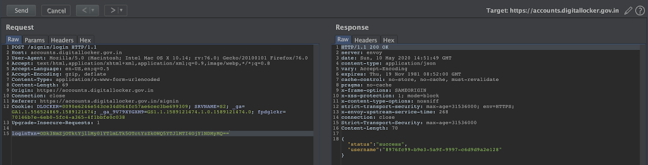
Hi Guys, This is a repost of the blog that was written on https://yetanothersec.com/blog/2020/06/03/digilocker-disclosure/ as the yas portal is facing technical issues everynow and then. Also apologies for the bad quality of screen shots, i will find old files and update it later. D uring the beginning of May 2020, there was a large commotion about the arogyasetu app and its security after a so called “hack” by infamous political hacker named Elliot Alderson. In light of all this, we at the YAS (Yet Another Security) community, had some talks in our WhatsApp group. So, it turned out to be a discussion on techniques used for bypassing SSL pinning on the mobile apps. This whole discussion made be curious about other apps from India government and since I have worked on similar projects outside of India, digilocker caught my attention. Hence, I downloaded the app and installed on my test devices and fired up my favorite toolset burpsuite + Frida. I used my homebrewed pinn...
Hi Folks, So if you are playing around with kali linux on a VM you might have faced the issue of getting the vmware tools work properly. Especially when you want to copy paste files and clipboard contents between guest and host. This is very annoying thing and took lot of my precious time when i was doing OSCP course. Here is how i fixed it. My Setup I run a kali linux distro on vmware player which is recommended for doing the OSCP course. By default it has GNOME as the default GUI. I kind of hate it as it uses lot of resources and has all those stupid animations and stuff. I want something clean and precise when i am working, i am not into looks and too many features, just the bare minimum responsive system is always my favourite. So I installed LXDE which is light weight GUI for linux. you can install it with following command apt-get install lxde-core lxde kali-defaults kali-root-login desktop-base This will not make LXDE you default GUI, so if you reboot, you will n...

I appreciate how YouTube Video Downloader is clean and easy to navigate.
ReplyDeleteIt provides a smooth experience for managing video content.
Many people recommend YouTube Video Downloader.